



Most Facebook Lead Ads campaigns optimise for people who submit forms, not people who become customers.
After someone submits a Facebook Lead Form, the real sales process usually happens offline through phone calls, SMS, quotes, appointments, and follow-up conversations.
Without CRM feedback, Meta often cannot tell:
LeadSavvy closes that feedback loop by sending real pipeline outcomes back to Meta using CRM Conversions API.
This helps Meta gradually learn which leads actually become genuine opportunities and customers, not just cheap form submissions.
If you are getting plenty of Facebook leads but too many of them are poor quality, Meta may not have enough feedback about which leads actually turn into real opportunities or customers.
LeadSavvy's CRM CAPI feature helps close that feedback loop. When leads move through your pipeline, LeadSavvy can send those CRM outcomes back to Meta so your campaigns can optimise toward leads that are more likely to convert.
Meta says Conversions API for CRM can help improve lead quality by sharing CRM lead outcome data back to Meta. Meta also reports that advertisers using Conversions API have seen a 17.8% lower cost per result. Results vary by account, campaign setup, budget, data quality, and pipeline usage.
Help Meta learn which leads become real opportunities.
Optimise toward better outcomes, not just cheaper form fills.
Send real pipeline signals back to Meta automatically.
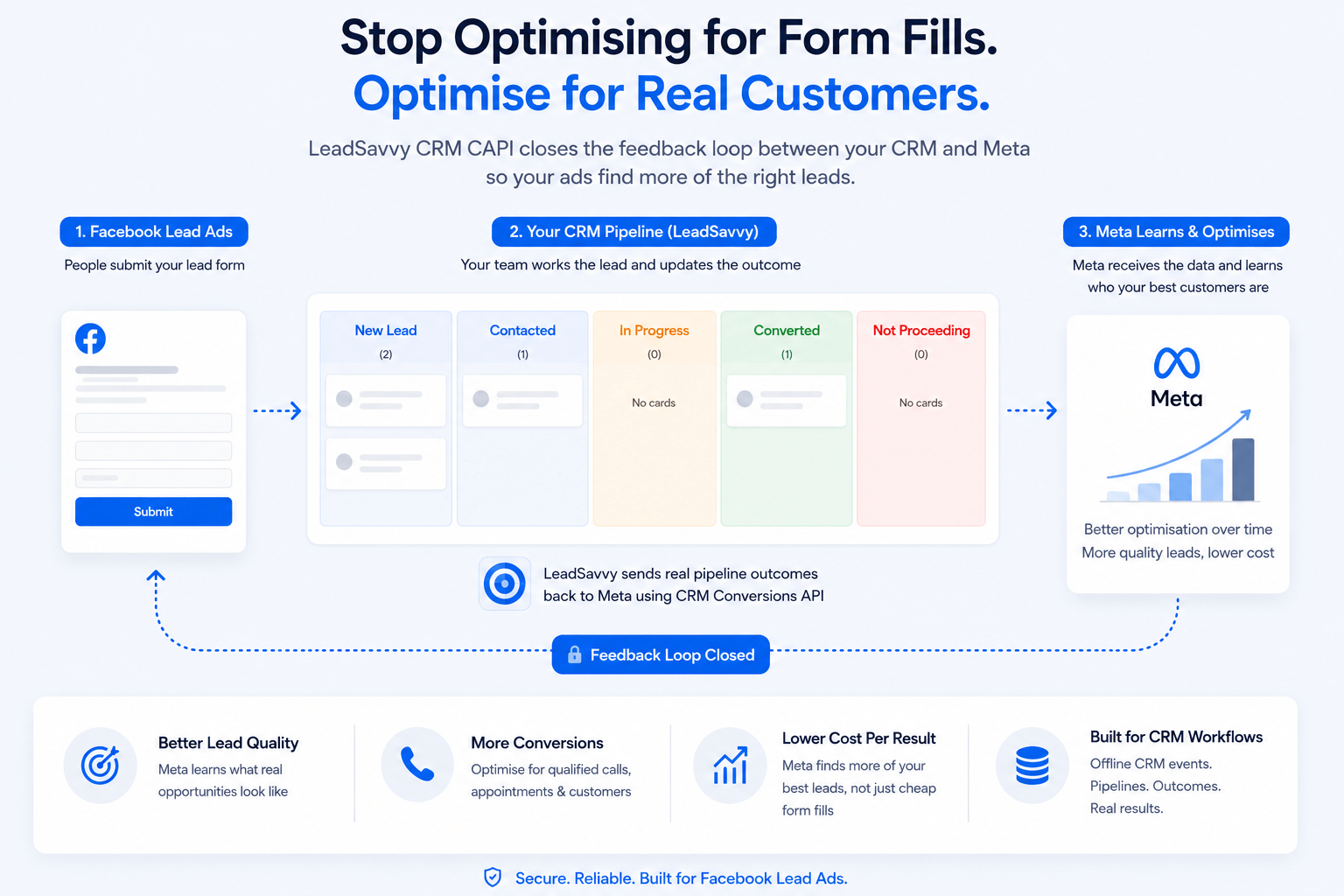
Meta CRM Conversions API allows LeadSavvy to send lead outcome events directly to Meta, including offline events that happen after a Facebook lead form is submitted. Instead of only optimising from form submissions, clicks, or website visits, Meta can also learn which leads became qualified, progressed through your pipeline, or ultimately became customers.
This is different from a website pixel. A pixel mainly tracks website activity. CRM CAPI helps send real pipeline outcomes from your CRM back to Meta.
Create a dedicated dataset specifically for LeadSavvy CRM events rather than reusing an existing website pixel dataset.
Recommended dataset name: LeadSavvy CRM Events
LeadSavvy is built for businesses that use Facebook Instant Forms and Lead Ads.
With Facebook Lead Ads, the lead usually does not buy online straight away. Instead, the real sales process often happens after the form is submitted.
Common follow-up steps include:
This creates a tracking problem.
A normal website pixel can track website activity, but it usually cannot tell Meta what happened after your team followed up with the lead.
For example:
Without this feedback, Meta may keep optimising for people who are likely to fill in a form, not necessarily people who are likely to become good customers.
LeadSavvy helps close this gap by sending offline CRM events back to Meta when leads move through your pipeline.
This gives Meta better feedback about which leads are valuable, so your campaigns can optimise toward better quality leads over time.
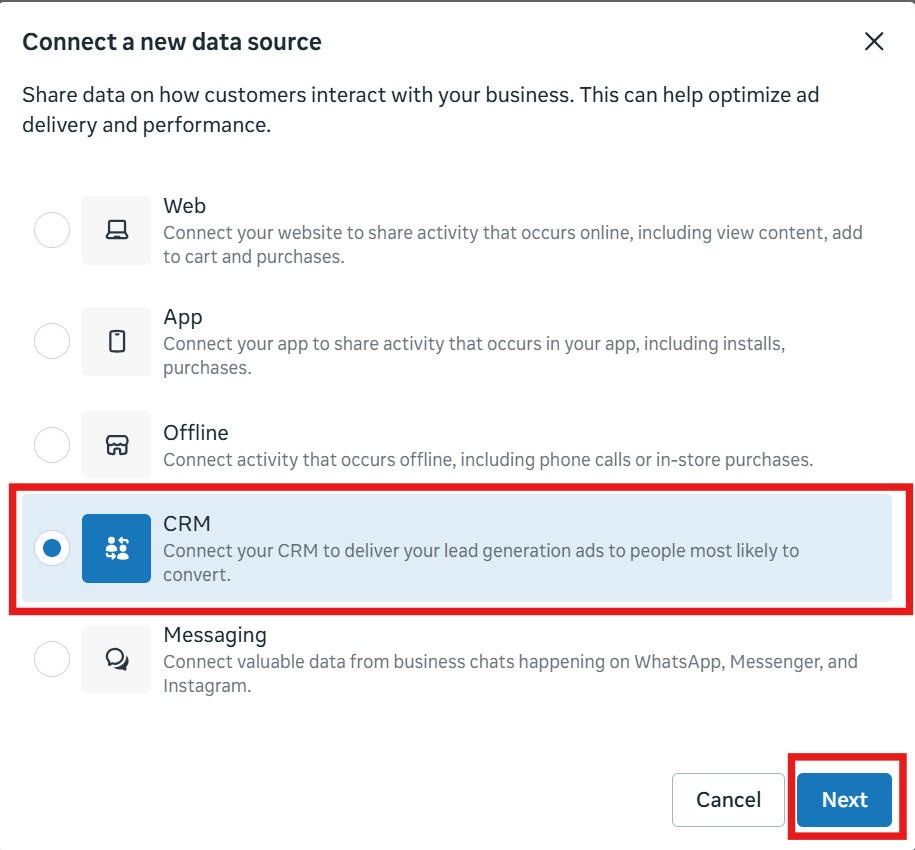
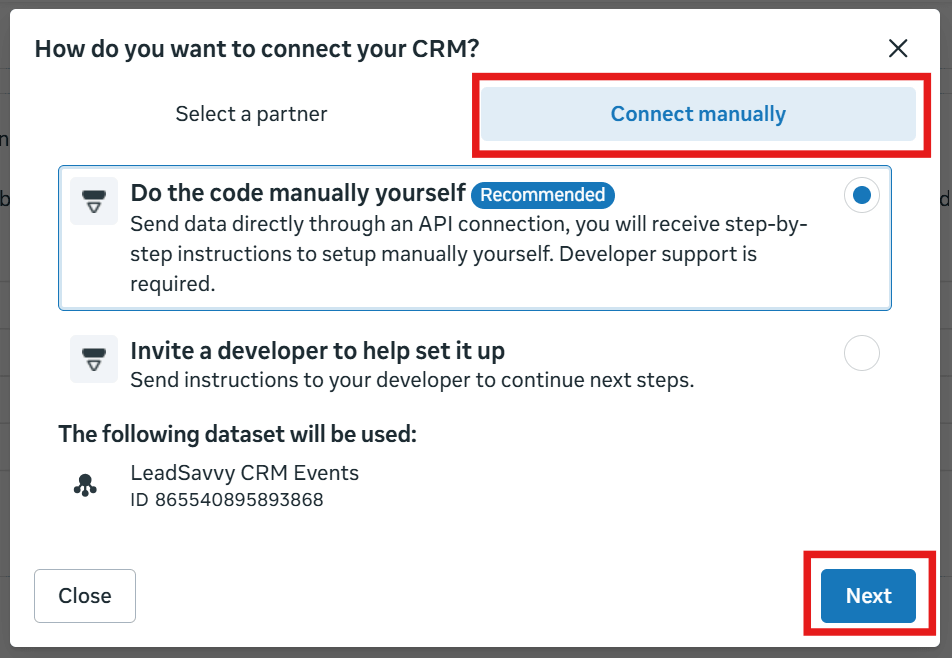
Go to Meta Events Manager and start a new CRM data source connection.
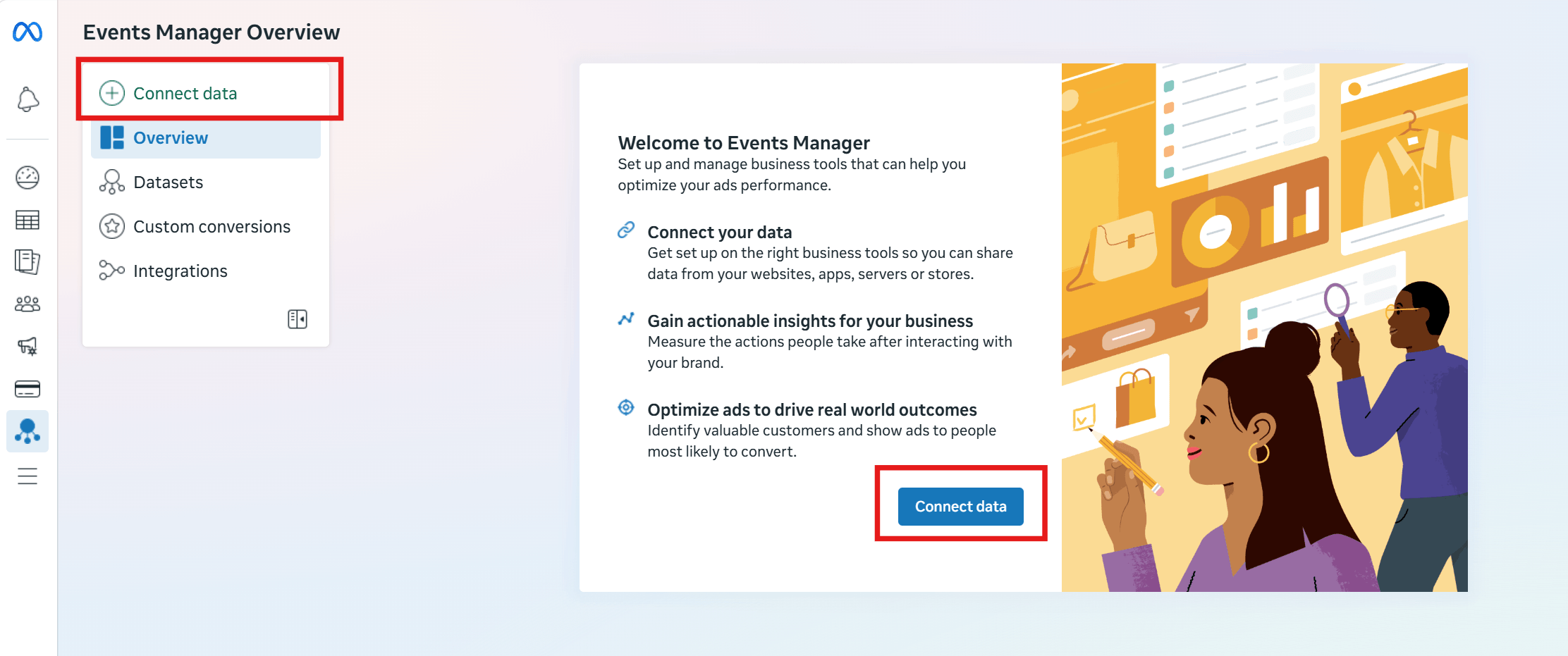
Inside Events Manager:
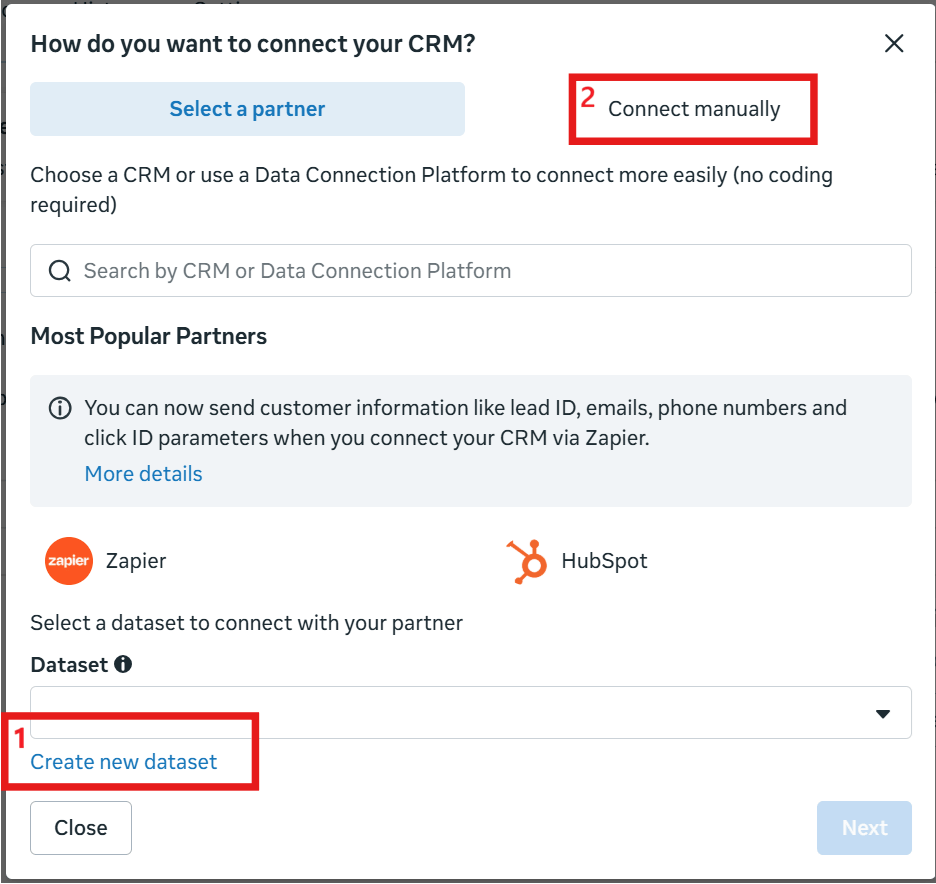
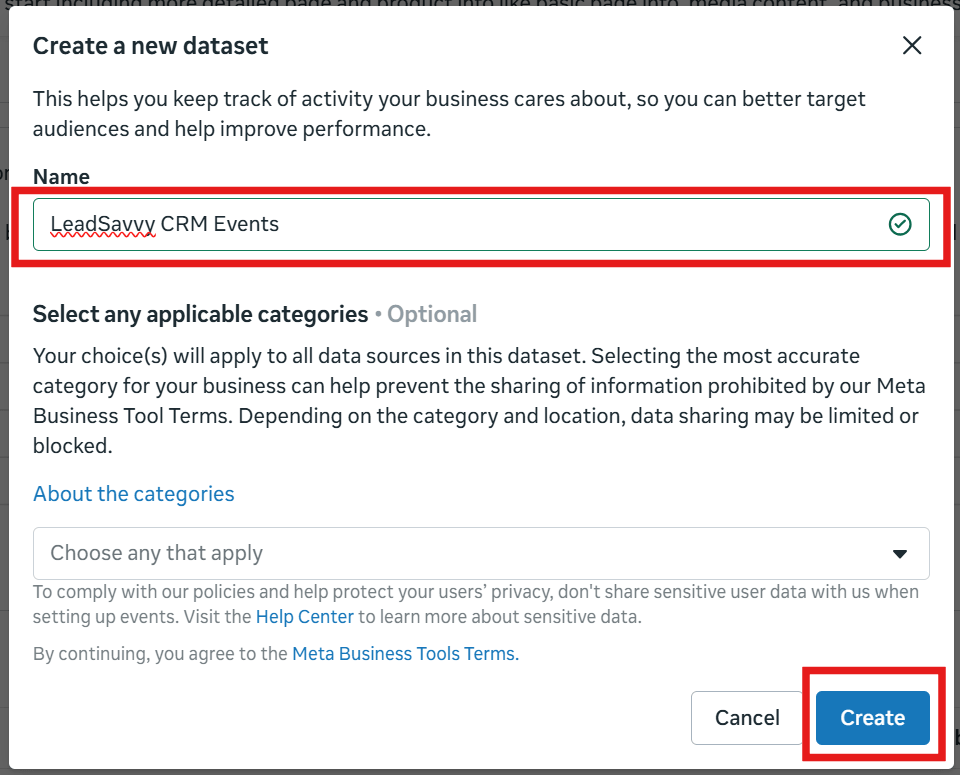
At the bottom of the page, click Create New Dataset. Do not reuse an existing website pixel dataset for LeadSavvy CRM events.
Suggested dataset name: LeadSavvy CRM Events
Enter a dataset name, ideally:
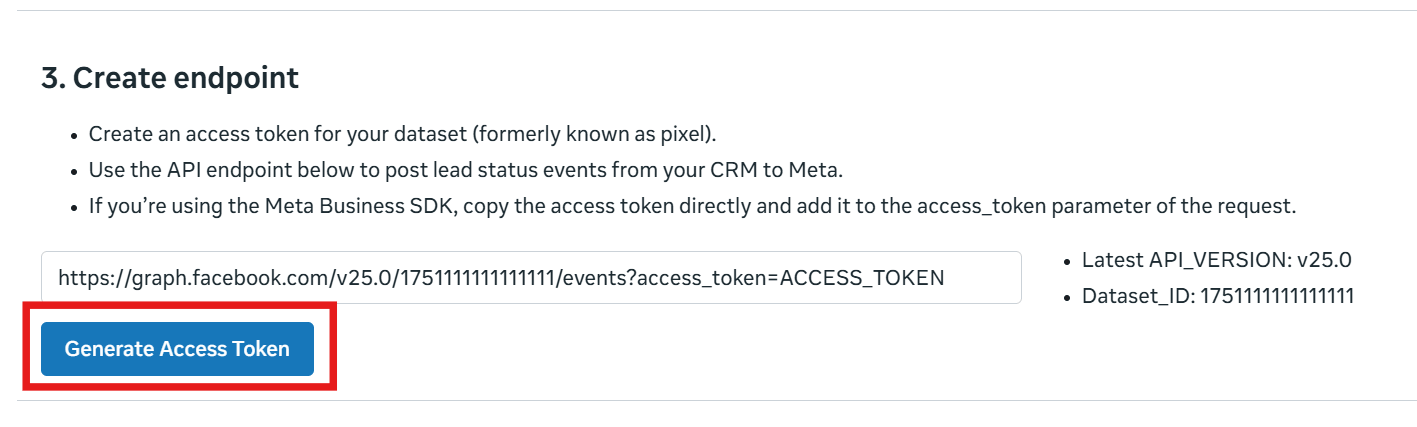
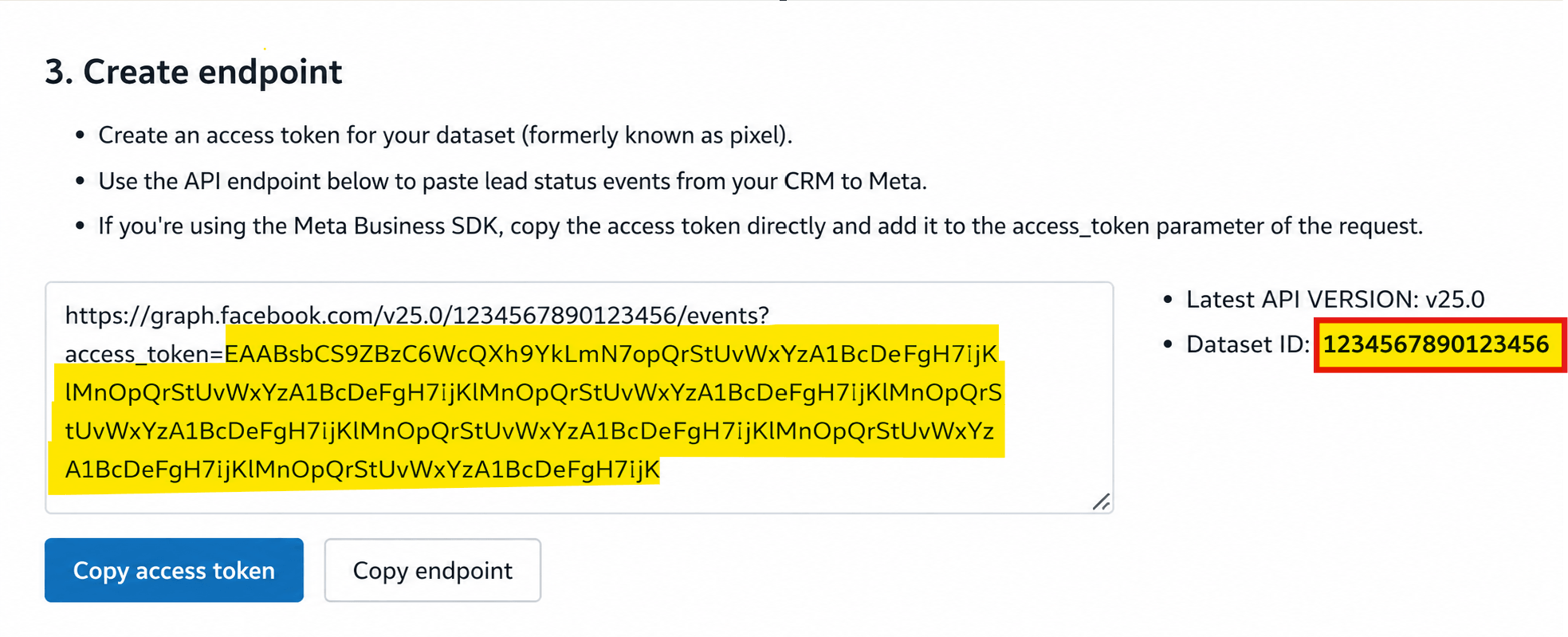
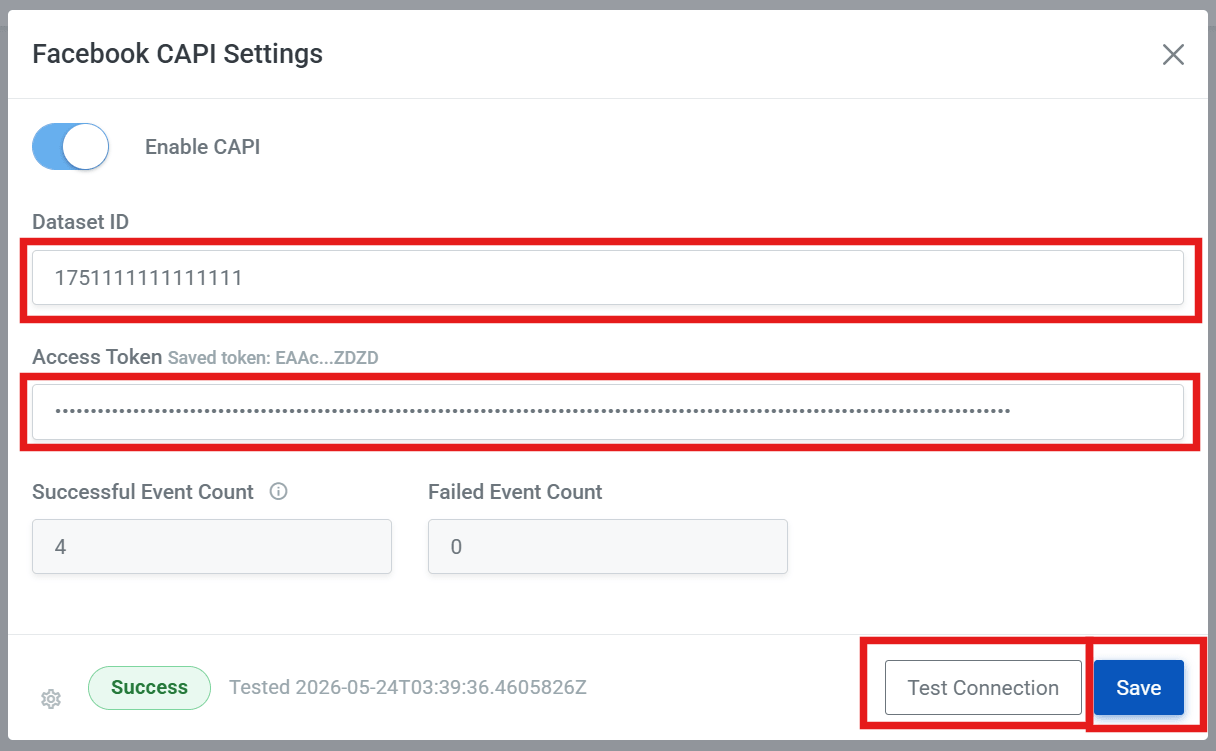
Scroll to 3. Create Endpoint and click Generate Access Token. Meta will show your dataset ID, access token, and an example endpoint URL.
Meta's Copy Access Token button often fails or copies the wrong thing.
You need both the Dataset ID and Access Token for LeadSavvy.
After copying them, click Back to Settings at the very bottom right of the Events Manager page.
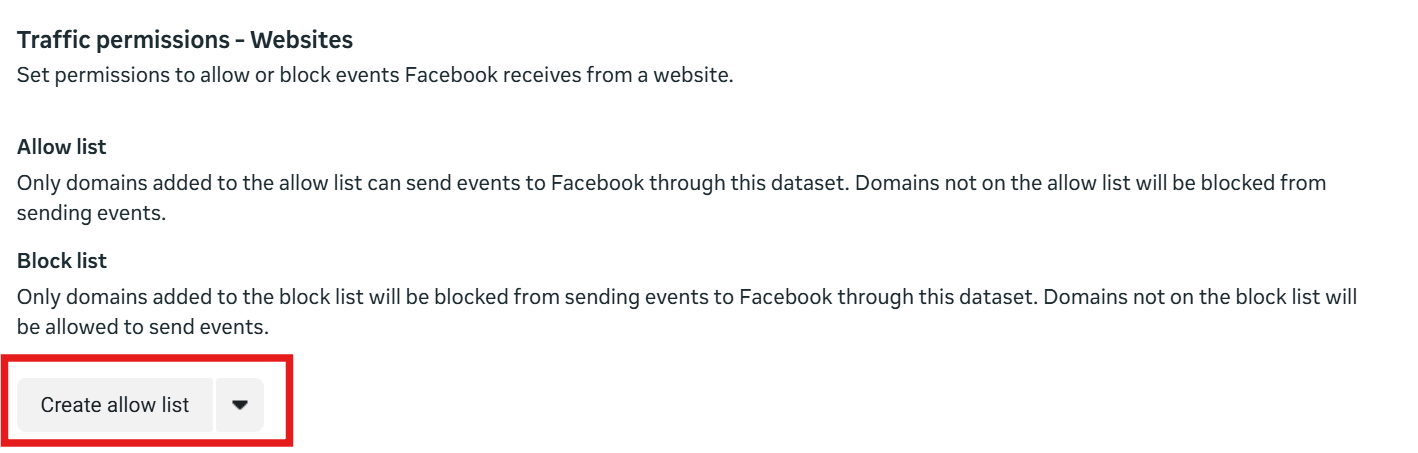
Return to the dataset Settings page in Meta Events Manager, scroll to the bottom, find Traffic Permissions, then click Create Allow List.
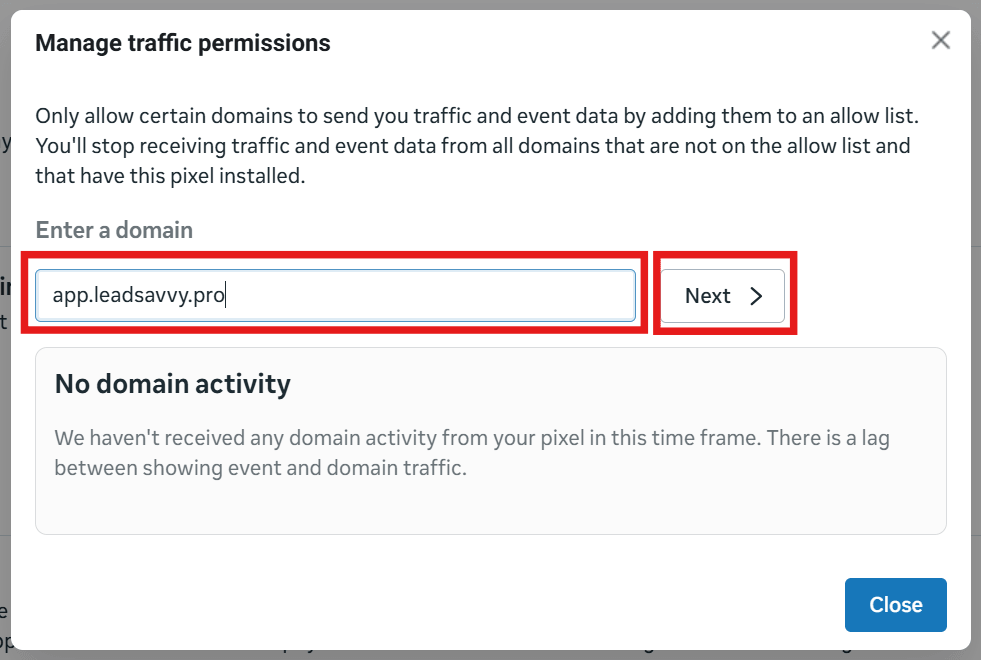
Add these domains to the allow list:
For each domain, enter the domain name, click Next, then click Confirm.
Create the allow list and add the LeadSavvy domains for this dataset. This helps reduce permission-related warnings and is designed to help CRM events continue processing correctly.
After copying your:
Return to LeadSavvy Pro.
LeadSavvy will attempt to connect to Meta using the details provided. If successful, you should see a successful connection message.
Repeat this process for each bridge you want to enable CRM CAPI on.
CRM CAPI settings are configured per bridge because different Facebook Pages or lead sources may use different Meta datasets.
You can test and enable CRM CAPI one bridge at a time.
LeadSavvy automatically sends CRM events to Meta when a lead enters a pipeline stage. The event name is based on the pipeline stage name.
There is no manual event mapping required.
This does not mean every lead edit creates a new event. Renaming a stage, editing a lead, or making changes while a lead remains in the same stage should not be interpreted as a new CRM outcome event.
| Pipeline Stage Name | Event Sent to Meta |
|---|---|
| New Lead | new_lead |
| Qualified | qualified |
| Appointment Booked | appointment_booked |
| Quote Sent | quote_sent |
| Won | won |
In practice, the event name can be a normalized version of the pipeline stage name, such as lowercase text with spaces replaced by underscores.
Meta performs best when events represent meaningful business milestones. Focus on stages that indicate real lead progress, especially qualified leads, booked appointments, proposals sent, and successful sales. In most cases, your most valuable optimisation event will be your final conversion stage, such as Won. LeadSavvy CRM CAPI is designed around positive progression milestones rather than negative outcome events, so the strongest signals usually come from stages that show genuine movement toward a sale.
CRM CAPI is not instant. It works by giving Meta better feedback over time about which leads become genuine opportunities or customers.
As leads move through your LeadSavvy pipeline, Meta gradually learns which types of leads are more valuable to your business.
The more consistently your team uses meaningful pipeline stages, the more useful the optimisation signal becomes for Meta.
Accounts with very low lead volume may take longer for Meta to learn effectively because there is less conversion feedback available.
Meta CRM event support in LeadSavvy will continue evolving as Meta expands CRM event capabilities and as we learn which events deliver the best campaign optimisation results.
LeadSavvy sends CRM conversion data securely using Meta's official Conversions API. Personal identifier information used for event matching, such as email addresses and phone numbers, is hashed before it is sent. Only the data required for event matching and campaign optimisation is shared with Meta.